Building a Magic Mirror
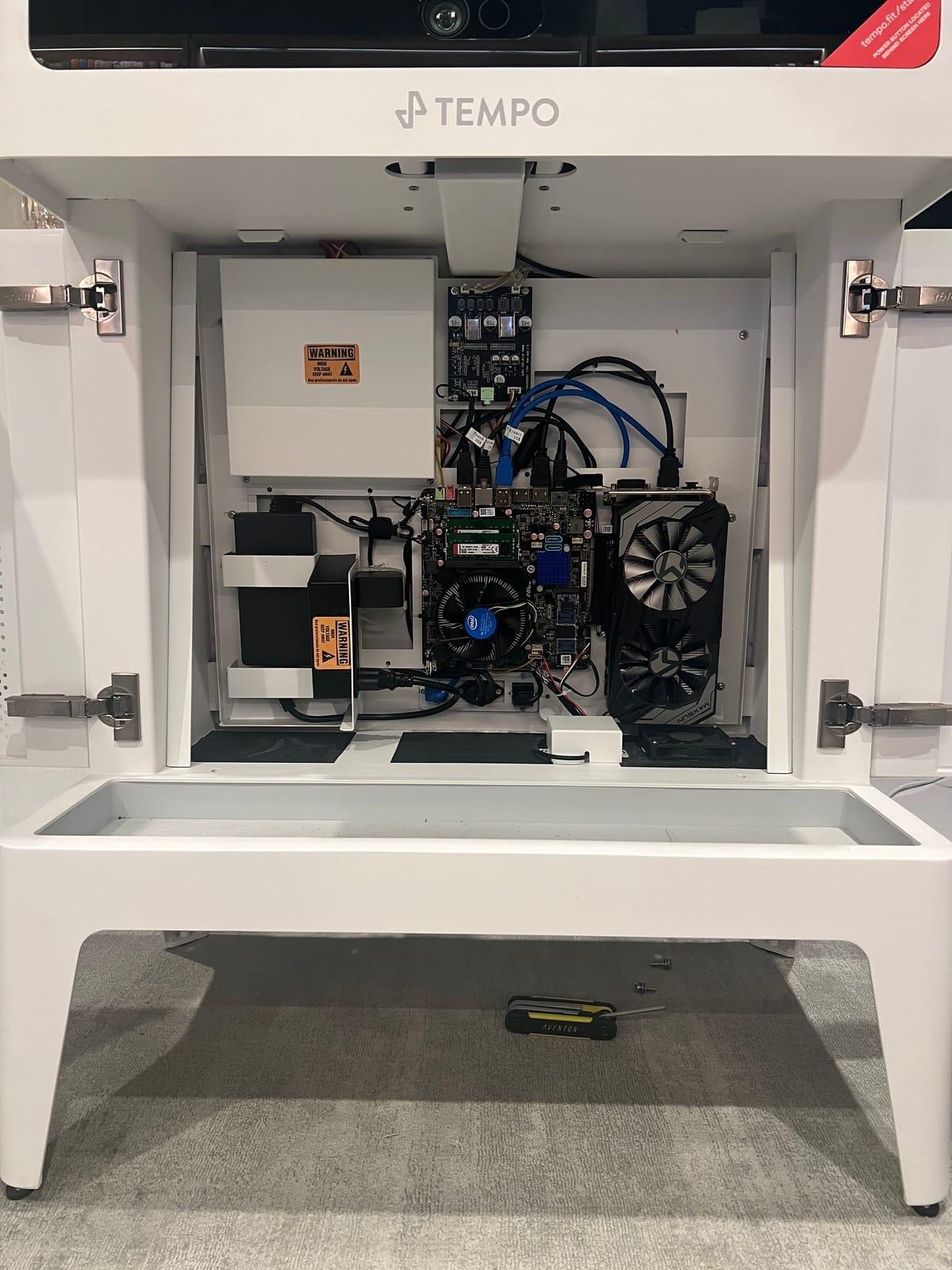
Our Tempo home gym now knows each of us by face, keeps the family calendar, and answers the kids with a talking face that rises out of smoke and follows them around the room.
My favorite thing about Disney parks is how they inspire awe in kids and grown-ups alike. I repurposed our Tempo Studio, a home gym packed with cameras and sensors, to bring that experience into our home.
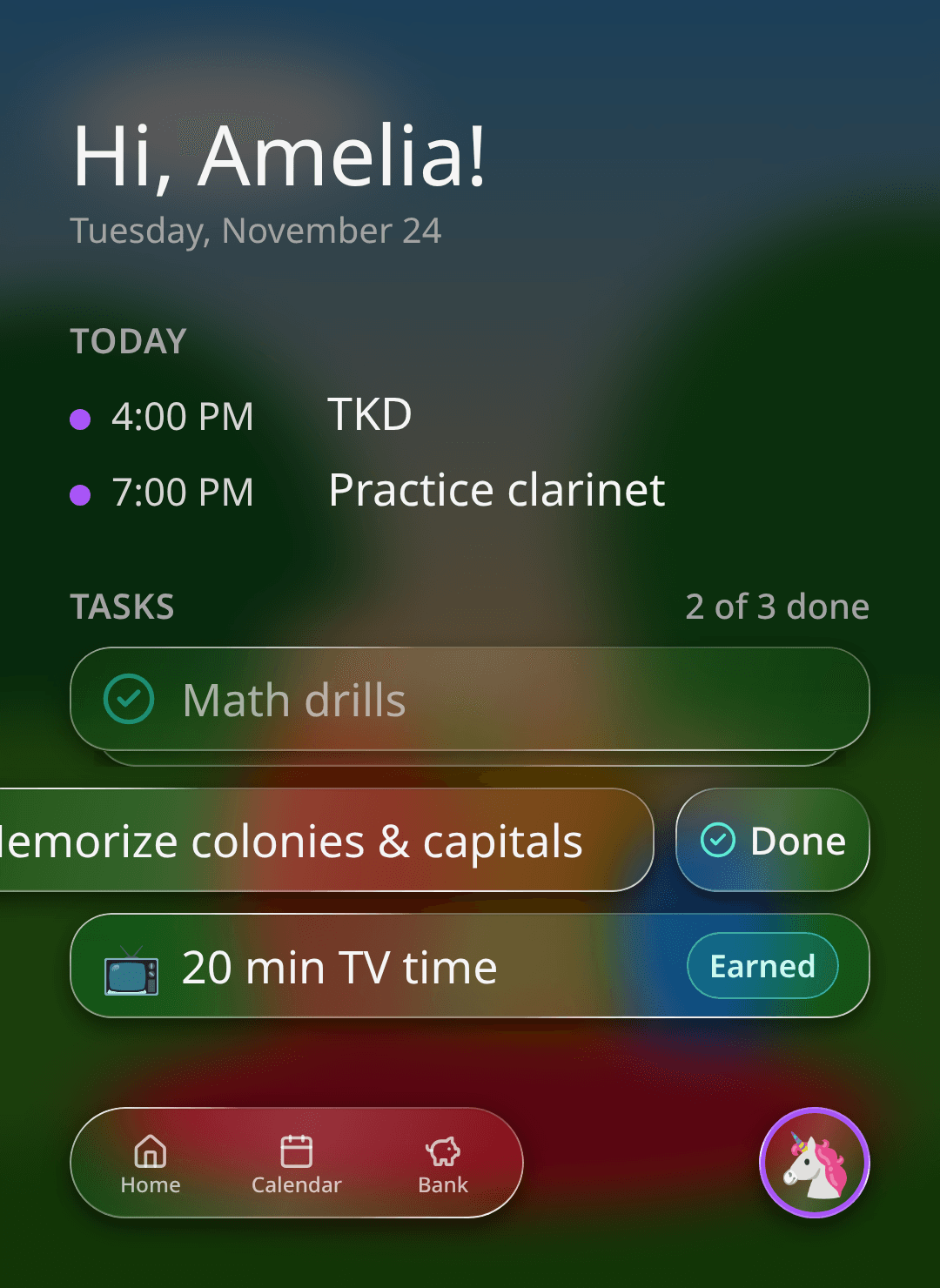
I wanted a hub for the family: everyone's calendars in one place, a checklist for each kid to finish before we head out the door in the morning, and a way to earn screen time by doing fun activities.
To keep the kids coming back, I added a touch of Disney magic. Say "Magic Mirror on the wall," and a face rises out of the smoke, its gaze tracking you as you move around the room. It recognizes who it's talking to, greets you by name and tells you a riddle or offers some encouragement for the day.
A family hub by the kitchen
The mirror stands where the kitchen opens onto the living room, so it has to read from across the room and work for a kid who just walked up. Most of the day it's a photo frame, and it wakes up when someone comes near.
- Calendars for the whole family, with a color for each person.
- Weather tells the kids whether it's a good day to bike.
- Your profile, with your events, notes and countdowns, opens when the mirror recognizes your face.
- Family photos spark discussions and memories of the places we've been.
We manage all of it from a small app available on our Wi-Fi.
Planned Features
Daily checklists
Each kid gets a checklist of tasks for the day. Must-dos come first, and finishing them unlocks fun activities that earn rewards like screen time.

A savings bank
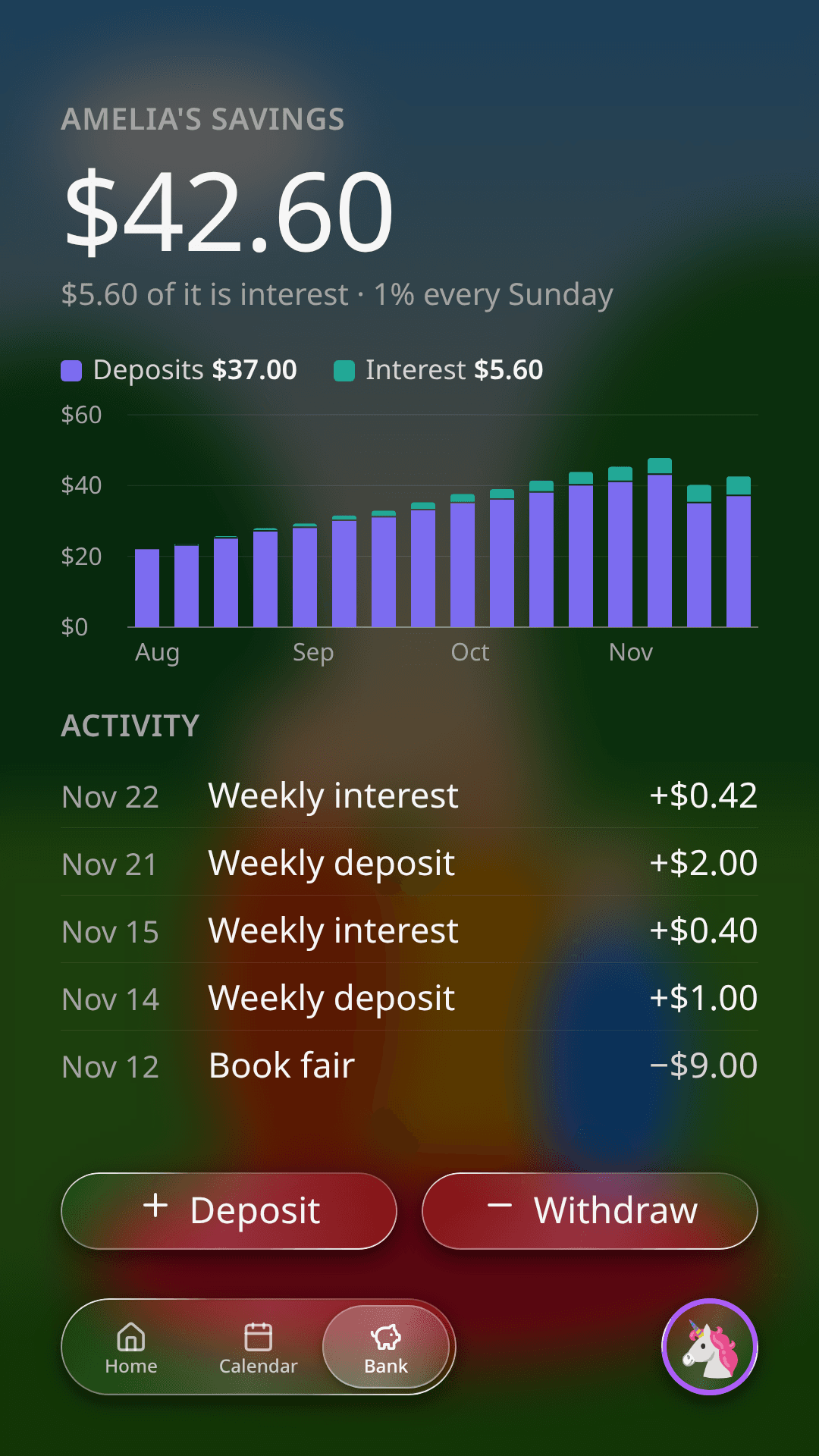
The kids also keep savings with us: they deposit money and withdraw it when they want to spend it, and we pay them interest every week. Working that interest out by hand is a chore, so the mirror will do it. Each kid will see what they've put in, what interest has added on top, and how the interest starts earning interest of its own.

Designing it with my kids
The kids are in on every idea. They pitch features, and we talk through what's easy to use at their height and which habits the morning checklist should build.
Our wish list so far:
- "Magic Mirror, turn back time" plays an old family video.
- "Magic Mirror, what's outside these walls?" shows live video from the cameras around our house.
- A photo booth lets the kids snap their outfit of the day.
- Mirror mail lets family members leave each other video messages on the mirror.
- A whiteboard replaces the one on our fridge.
- Meal planning lets everyone vote on what to eat, or rate a meal.
- An "On Air" sign syncs with my meeting calendar, so the kids know when to keep it down.
Setting up the Tempo's computer took an evening, and giving Claude direct access to the machine has made development and testing a breeze. The technical side is in Tempo Studio Teardown.